

Grainy footage is a familiar headache—especially when working with low-light video, older cameras, or heavily compressed clips. While noise-reduction effects can help, they often come at a cost: smeared details, waxy skin tones, and a general loss of texture. The trick is reducing noise only where it’s most visible, instead of across the entire image.
Why this matters
Video noise is most noticeable in darker areas. Shadows and underexposed regions tend to crawl and shimmer, while highlights and midtones usually hold up better. Applying noise reduction globally means you’re fixing a problem that doesn’t exist everywhere—and paying for it in sharpness. A targeted approach gives you cleaner shadows while preserving detail where the image already looks good.
The layered solution
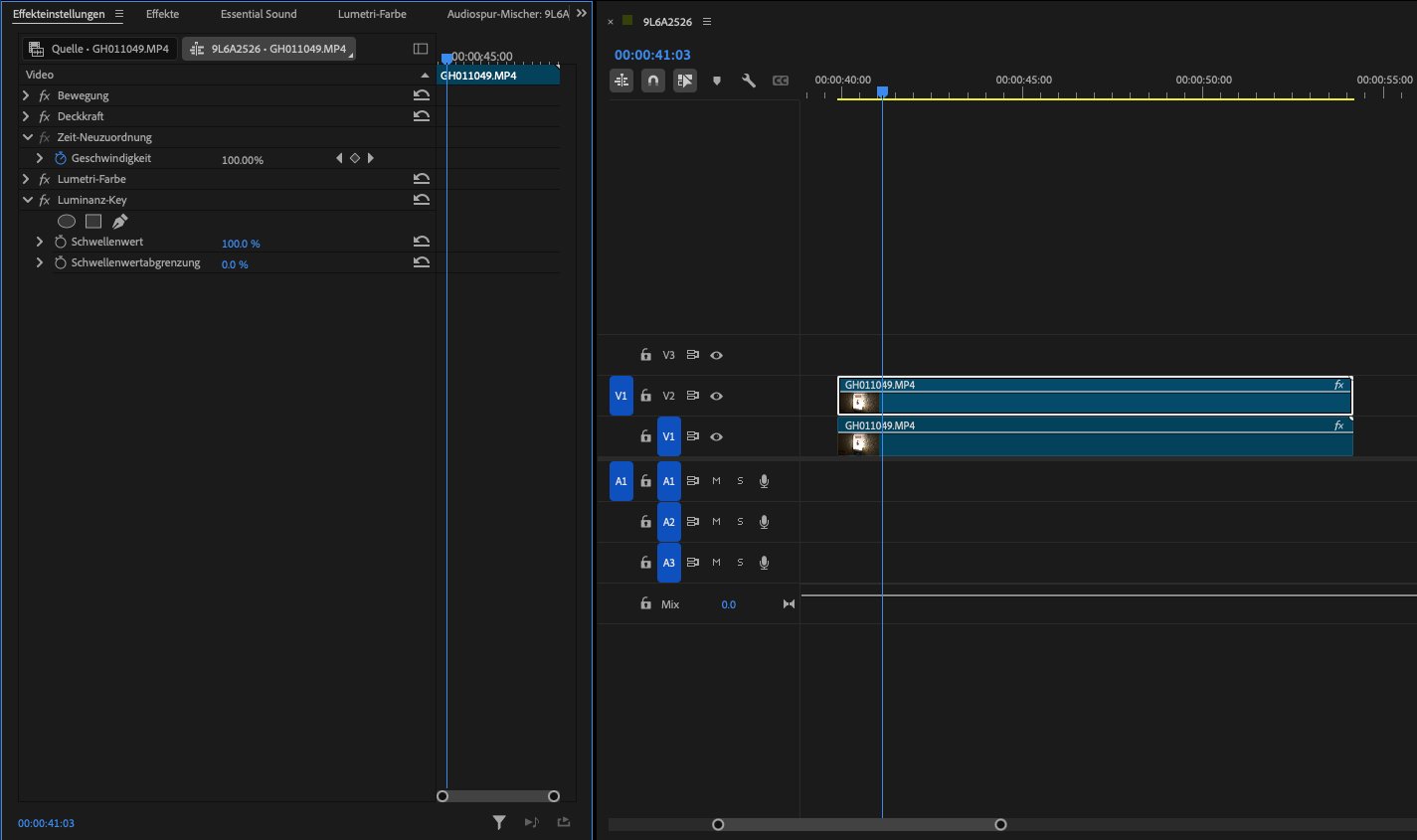
A simple and effective workflow is to double up your footage and treat each layer differently:
- Duplicate the clip so you have two identical layers stacked.
- Bottom layer: Apply your noise-reduction effect here. Be as aggressive as needed—this layer’s job is purely to clean up noise, especially in the shadows.
- Top layer: Apply an effect (for example, a luminance key, blend mode, or curves-based matte) that makes only the dark parts transparent.
The darker the pixel, the more transparent it becomes. Bright and midtone areas remain opaque, preserving the original detail.
Result
The clean, noise-reduced bottom layer shows through only in the shadow areas, while the untouched original footage stays visible elsewhere.
This approach gives you selective noise reduction without complex masking or rotoscoping.
Visualizing the noise reduction

If it’s hard to tell where noise reduction is actually happening, there’s a handy trick:
Apply a tint to the bottom layer (for example, a subtle blue or green cast).
As you adjust the transparency of the top layer, you’ll clearly see where the tinted layer is visible. Those areas are where noise reduction is being applied.
Once you’re satisfied, simply disable or remove the tint.
This makes fine-tuning much easier and helps avoid over-processing.
Bonus: More control
By separating noise cleanup from detail preservation, this layered technique gives you far more control than a one-click fix. It’s fast, flexible, and works in most editing and compositing tools. Best of all, it keeps your footage looking natural—just cleaner where it needs to be.